Tumblr Send me an email Something to See on Flickr StumbleUpon RSS feed Facebook LinkedIn Twitter Pinterest Home

Thursday, February 10, 2011

My lighter side

Remember The Light Side popped up in my email today. Daily Om always seems to be following my thoughts. When someone asked me yesterday, what was your last illustration, well, I had to think. I have been spending most of my time on Wordpress, CSS, Word docs, making patterns, wallpapers but not doing illustrations. So I finished up two I had started months ago. Also finished up some illustrations for Rick.


I haven't completely lost of my sense of humor. I see little illustrations about unemployment in my head all the time. Ridiculous situations. Like when you send a resume/application off in email it might as well be flying to the moon. I have been reading unemployment boards, ridiculous job ad postings threads and making list for a new adventure. With a couple of my illustrator friends, we are making the ABC's of "Unemployed over 50". Can you see sympathy cards for the newly unemployed? E-cards? Anyway, it is just something I have kicking around in my brain. Here is our beginning list, can you think of any better examples?


A if for …
Application to the moon (someone throwing a paper airplane application to the moon and having it circle around forever)
Age group
Anti-depressants
Ageless (yeah, don’t we wish!)

B is for
Boss
Benefits we no longer have

C is for
Career counseling
Colleagues we miss
Careers we no longer have
Competition

D is for
Discrimination
Never mentioning your “years” on a resume
De je vous (this has happened before)
Down-sizing

E is for
Earning power
Economic collapse
Unemployment extensions
Extensions (unemployment benefits, not hair)
Entrepreneurs

F is for
Over fifty
Future (what does it look like) (I like future. Chris)
Filing for benefits every week

G is for
Gender
Ghost (being invisible in the work force as an older worker)
Gray hair (does she or doesn’t she, a big discussion about dying your hair when applying for jobs)
Group interviews

H is for
Honor
Honing your resume until you can’t even understand it yourself!

I is for
Income
India (jobs going to)
Indeed.com
Interviews

J is for
Jobless
Jolted by joblessness

K is for
401 (K)
Kicked to the curb

L is for
Labor department (Un-labor department)
Labor force under 40
LinkedIn

M is for
Managers
Managing to do with less

N is for
Negative
Networking

O is for
Over fifty
Applying for benefits online
Online applications for jobs and benefits
Openings (but not enough of them)

P is for
Pushed out due to age
Pink slip
Passion (as in “follow your…”)

Q is for
I Quit
Quiet (as in the resounding silence that follows most applications)

R is for
Recession
Resume (honing your resume with fancy words until no one can really read it)
Reinvention

S is for
Sanity
Statistics
Skill set
Social networking
Scared
School (going back to learn new skills)

T is for
Target
Being targeted
Talented

U is for
Unemployment benefits
Underemployed
Uncle Sam

V is for
Valued (or wishing we were)

W is for
Work
WorkSource
Weary
Wages
Worried

X is for
X marks the spot

Y is for
You’re fired (as in Donald)

Z is for
Zero


From Ben, co-illustrator ;), poet, artist-extraordinaire.
A
is for Applications, they lead to dead ends.

B
is for Bernanke, printing trillions for friends.

C
is for Cashless; we now do without.

D
is for Debt; its paying in doubt.

E
is for Earning, once hard did I work.

F
is for Failing, at home I now lurk.

G
is for Games we're all forced to play.

H
is for HR departments, giving us no time of day.

I
is for Interview, in which egos are crushed.

J
is our Joint account; down the toilet it's flushed.

K
is what my 401 no longer has.

L
is for Losing; blues replace jazz.

M
is for Mellifluous, I just like the word.

N
is for NO JOB, in the punch bowl a turd.

O
is for Owing, the bills never end.

P
is for Pissing, my last dollars into the wind.

Q
is for Querulous, we moan and we groan.

R
is for Real estate for which banks will not loan.

S
is for Sycophants, their bosses' butts tasted.

T
is for Talent, now mostly wasted.

U
is for Unemployed, in the wind we are twisted.

V
is for Verisimilitude, on our resumés listed.

W
is for for Worrying about aging and tumors.

X
is for X-gens, who look down on us boomers.

Y
is for Youth that's no longer mine.

Z
is for Zed; it's the end of the line.

Tuesday, January 25, 2011

Gosh, what a week

I have been knee-deep in Wordpress the last week, finishing up a friend's website. With Rick's help ... and his great video tutorials, have managed to fix most of my problems. Still, a few more to go. I keep telling myself, almost there. I added some DF Journey font/dingbats and I think feels more fun. I haven't had an opportunity to use them in some time. I also love Knitting & Sewing Doodles by the same designer, Rae Kaiser.


Found lots of logos tonight that I have made in the past. Also found these wonderful Party Birds, I made as a part of my rubber stamp company, Rainy Day Rubber Stamps, from years ago. I might still have a few stamps if you are interested, email me.


Found computer-doddles when I was trying to come up with my logo for Rainy Day Rubber (some 10 years ago). Rain City?  And my own business card for illustration and design. You know my nom de plume is KIZ. I love using it, although, I haven't used it lately.


Found this logo, Hair Hints, for someone's blog header. The blog that never made it off the ground. But I still have the header archived.

Monday, January 3, 2011

"Fall Tree Branches" pattern

I am addicted to making patterns ;) One more Spoonflower competition- Large-Scale Botanicals using a restricted palette.


Sunday, January 2, 2011

Social Networking

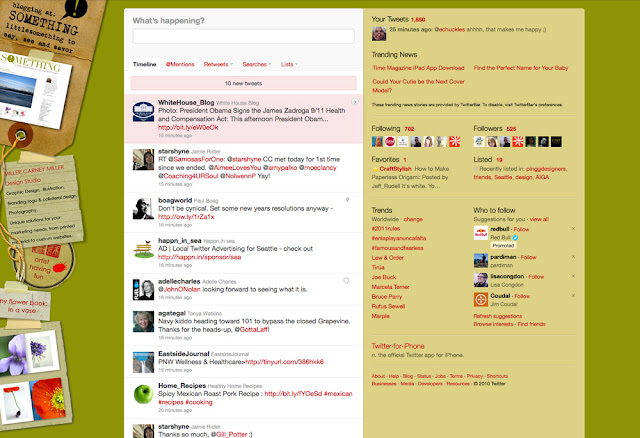
I usually change up my Twitter background and Something banners all the time because, it is the internet and everything can be changed on the fly. But I am going for constancy now. A more professional look. Can I say, grown-up look? Did I mention, that keeping up with social networking is a full-time job?

Pixel to vector - Live Trace

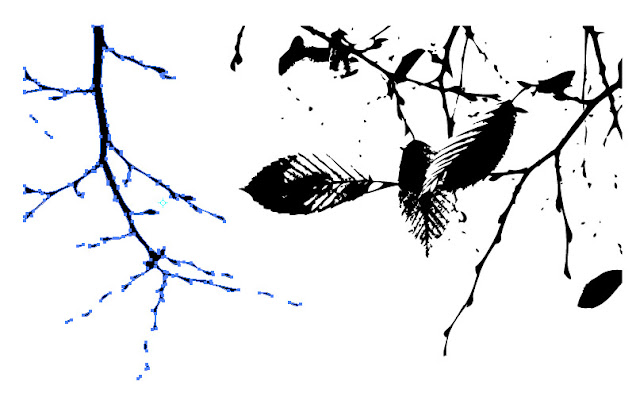
Okay, as requested. Just for you, Gerrie and Maureen. ;) My quick and dirty explanation of turning a photo into a black and white silhouette image then copying it over to Adobe Illustrator and turning it into a vector file. I have included some tutorials that have much more detail about Live Trace below.

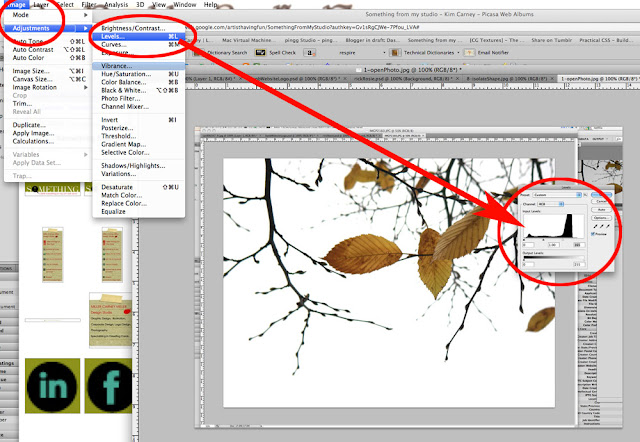
1. Open a your photo. Ideally, your photo will not have a lot of background noise. The whiter the background the better, easier to turn into a silhouette. In photoshop go to image - adjustments  - levels to lighten up background. (shortcut: command L)


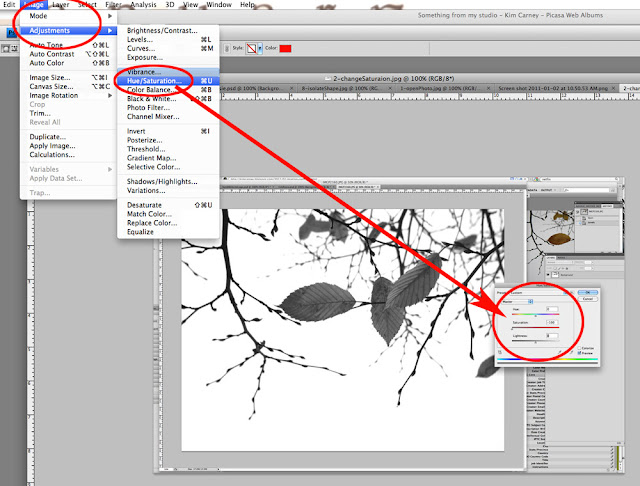
2. Turning the image black and white. Go to image - adjustments - hue/saturation ... adjust the saturation and turn your image black and white (or sometimes parts will remain gray). (shortcut: command U)


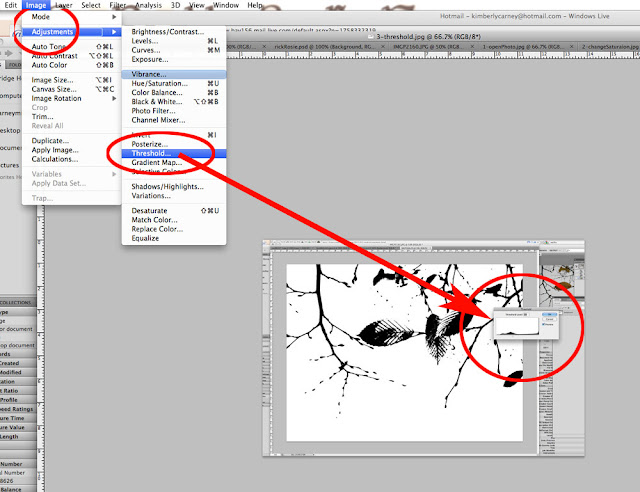
3. Adjust the threshold to your desired amount of detail. Go to image - adjustments - threshold. Use the slider bar and you can see the amount of detail change.


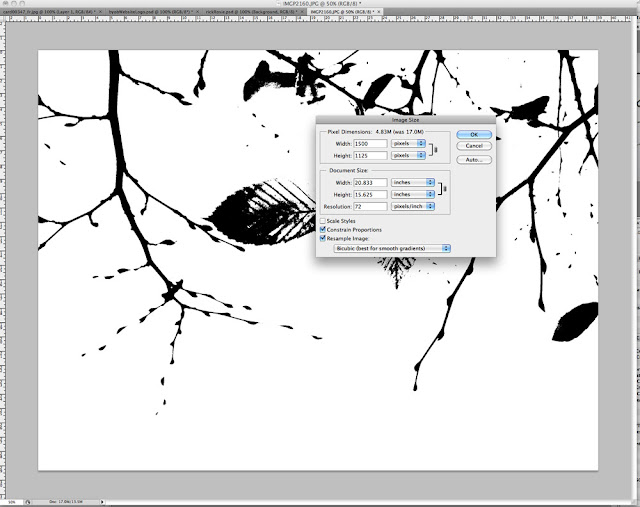
4. Change the image size of your photo. I usually change it to 500 or 1000 pixel wide. You don't want to copy a 35 inch wide image over to illustrator. Or maybe you do. But it makes it easier to work with a smaller file. Go to image - image size


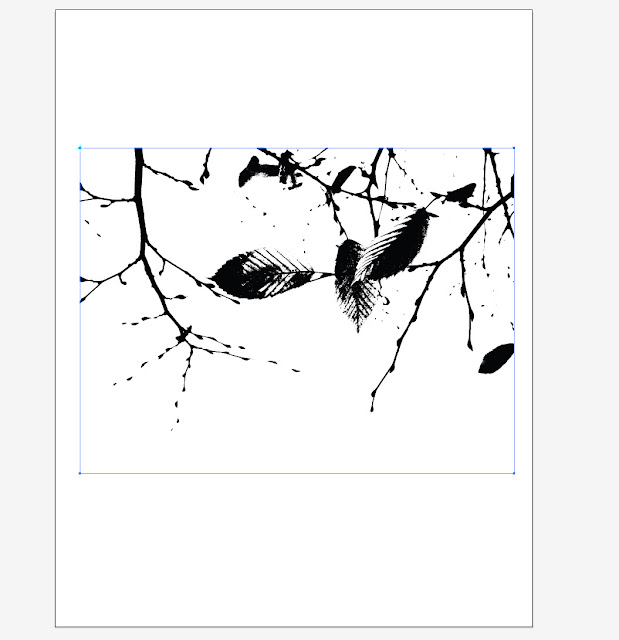
5. Here comes the easy part. Do a Command a, command c (copy all), go to your Adobe Illustrator file and Command n (for new file), then Command v (for paste). You have just copied the photo with adjustments over to an illustrator file.


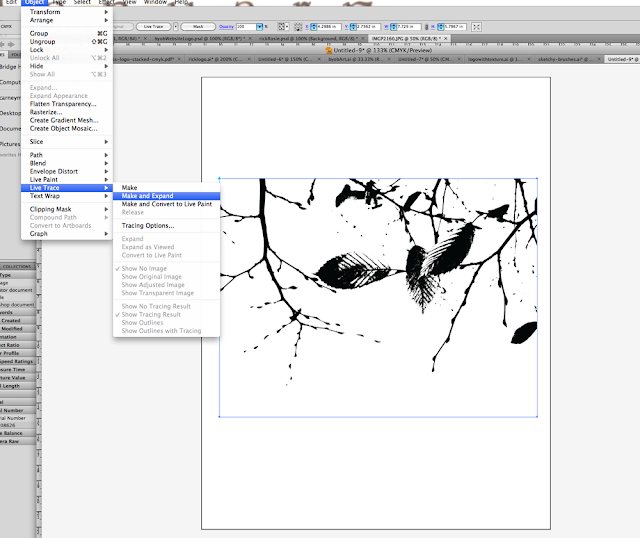
6. In Illustrator, go to object - live trace - make and expand


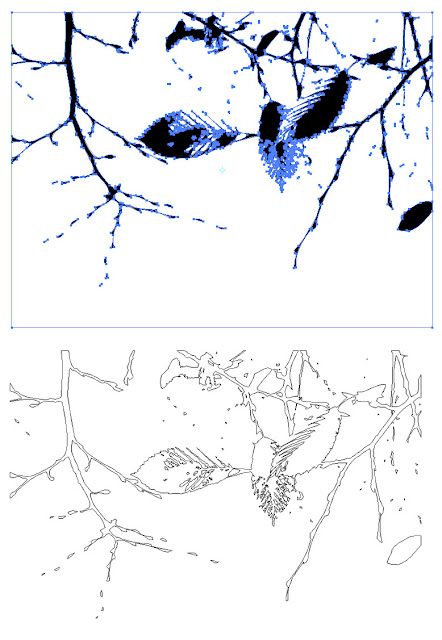
7. You will now have a vector image. To remove the white background, click on the white with the magic wand and delete. I am showing you the actual vector path below ... this image will be grouped. You might need to ungroup to select a piece of the image.


8. For a pattern I will isolate a piece of the art and copy it over to a new file. Change colors.


This is the technique I used to make the Grapevine Tendril font in Adobe Illustrator. You can use the silhouette to make brushes in Photoshop. Or brushes in Adobe Illustrator. If you need more explanation, just ask, I can walk you through it. Share what you make using this tutorial! I need some inspiration!

Live trace tutorial when you need to isolate the background. This is very good, has lots of explanations of terms and presets.

Live trace tips at Tutorial 9.

Pixel Perfect Tracing in Adobe Illustrator has really good explanations about perfecting the image.

Saturday, January 1, 2011

Making patterns

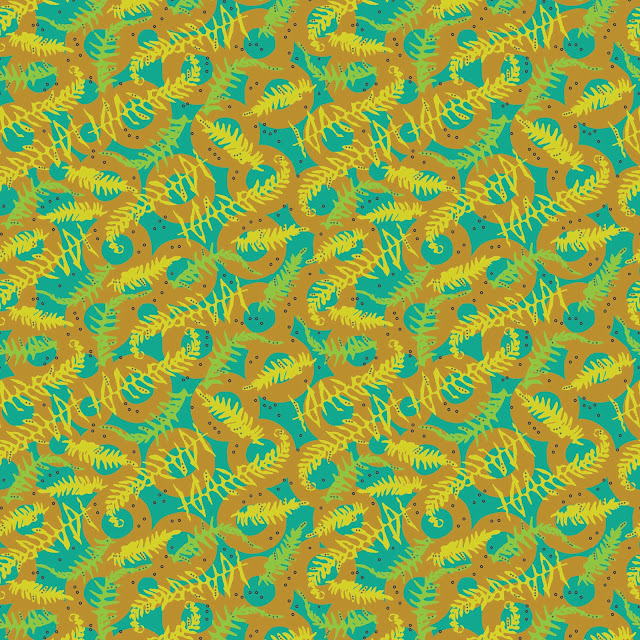
To avoid doing any real work, I am making patterns. Ran across Spoonflower competition - Large-Scale Botanicals using a restricted palette. Using some ferns I shot many moons ago, turning them in to vectors ... came up with this. Still playing around, but that was fun!


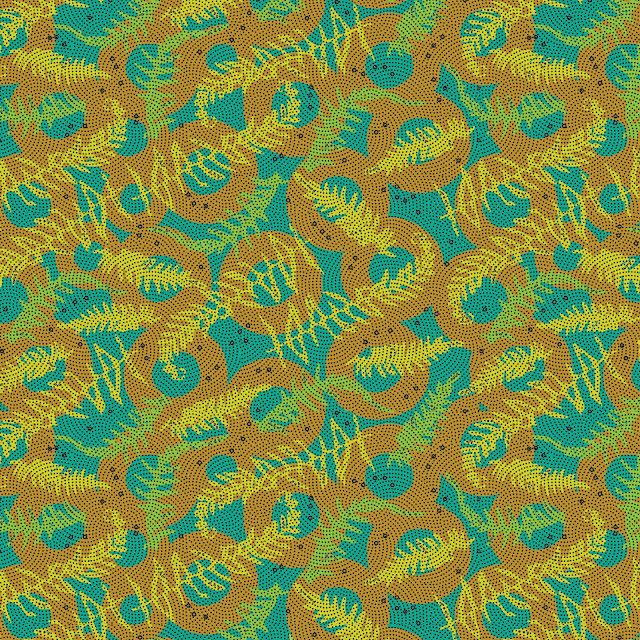
Laying a dot pattern on top